
Introduction: When “The WiFi Is Slow” Brings Operations to a Halt
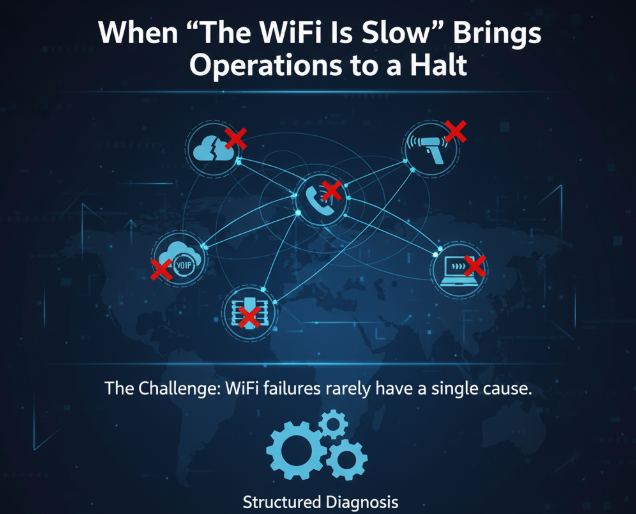
Few IT issues cause more frustration—and productivity loss—than unreliable wireless networks. Whether it’s spotty coverage, unpredictable drops, or slow speeds, wireless network problems impact everything from cloud apps to VoIP calls to warehouse scanners.
The challenge? WiFi failures rarely have a single cause. Instead, they stem from several interacting issues that require structured diagnosis.
Below is a clear framework for understanding the most common failures, how to troubleshoot them, and how organizations can prevent future outages.
The Most Common Causes of Wireless Network Problems
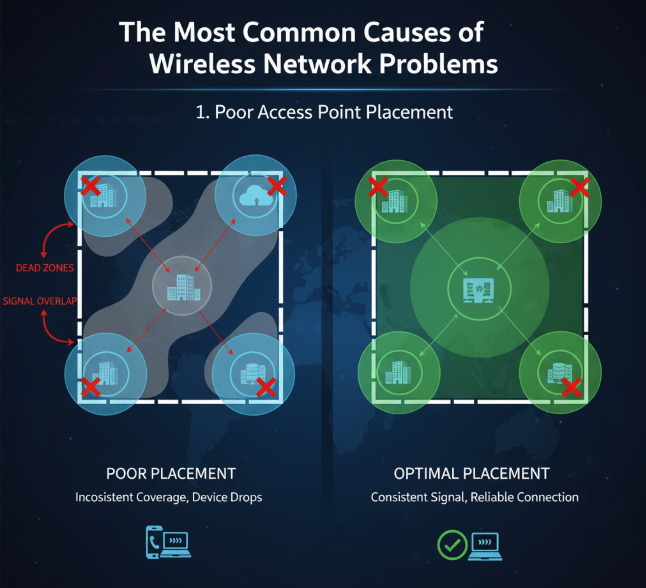
1. Poor Access Point Placement
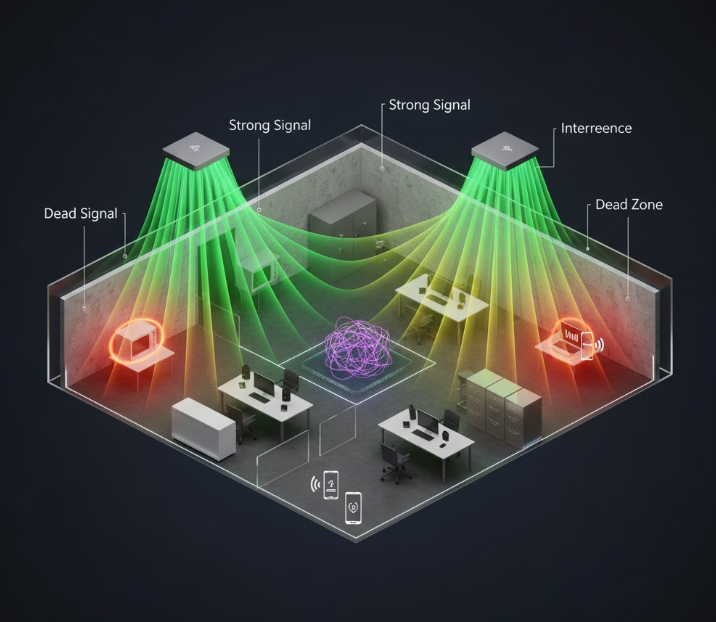
Incorrect placement leads to dead zones, overlapping channels, and weak signal.
Typical symptoms: inconsistent coverage, devices dropping when users move.
Best practices:
- Avoid mounting APs near metal, concrete, or HVAC ducts
- Position them centrally in open areas
- Use predictive heatmap tools during design
2. Radio Frequency (RF) Interference
Interference is one of the most overlooked WiFi troubleshooting factors.
Common interference sources:
- Microwaves
- Bluetooth devices
- Wireless cameras
- Neighboring networks
- Industrial equipment
Use RF spectrum analysis tools (e.g., Microsoft WiFi Analyzer or vendor-native tools) to identify noisy channels.
3. Network Congestion & Over-Subscription
Too many devices fighting for limited airtime cause network performance issues.
Warning signs:
- High-density environments (conference rooms, retail, warehouses)
- Slow speeds only during peak hours
Solutions:
- Add more APs or reduce cell size
- Enable load balancing
- Optimize SSID count and band steering
4. Misconfiguration of Wireless Settings
Small configuration mistakes often cause large-scale issues.
Examples:
- Incorrect channel widths
- Misaligned power levels
- Legacy security modes
- Too many SSIDs creating overhead
Follow vendor best practices and frameworks like NIST 800-153 for secure wireless configuration.
5. Insufficient Backhaul or Switching Capacity
Sometimes the WiFi isn’t the problem—the wired network behind it is.
Common bottlenecks:
- 1G uplinks feeding multi-gig APs
- Undersized firewalls
- Outdated switches lacking PoE for modern APs
Evaluate end-to-end throughput before assuming the AP is at fault.
How to Diagnose Wireless Issues (A Practical Framework)
A reliable WiFi troubleshooting workflow includes:
Step 1: Identify the Symptoms
Document where and when problems occur.
Step 2: Validate RF Health
Check SNR, channel utilization, interference, and AP coverage.
Step 3: Assess Configuration
Review SSIDs, security modes, channel settings, and AP power levels.
Step 4: Inspect Wired Backhaul
Confirm switching, PoE, cabling, and firewall capacity.
Step 5: Simulate Load & Test
Conduct speed tests, roaming tests, and packet captures.
For complex environments, OmniLegion’s engineers assist organizations through WiFi health assessments and network redesigns. Explore IT support and troubleshooting help at https://omnilegion.com/get-it-help/
Prevention Tips for Long-Term Wireless Health
- Standardize configurations across sites
- Implement automated monitoring and alerts
- Use AP models designed for your density and environment
- Perform annual RF surveys
- Document changes and maintain configuration backups
See how clients improved wireless reliability in our network modernization case studies: https://omnilegion.com/case-studies
FAQs
Why does my wireless network slow down randomly?
Often due to interference, congestion, or misconfigured channels.
How can I tell if the issue is RF-related?
Run a spectrum analysis—look for high noise floors or crowded channels.
Are more access points always the solution?
Not necessarily. Too many APs can create more interference.
How often should I perform a WiFi audit?
Most organizations benefit from annual assessments or post-renovation.
Should I hire an expert for wireless tuning?
For warehouses, hospitals, or high-density offices—yes. Complex RF environments require specialized expertise.
Improve Your Wireless Reliability With Expert Support
If your organization struggles with wireless network problems, inconsistent coverage, or ongoing network performance issues, OmniLegion can help you assess, redesign, and optimize your environment. Connect with us at https://omnilegion.com/contact-us/ to get expert guidance.