
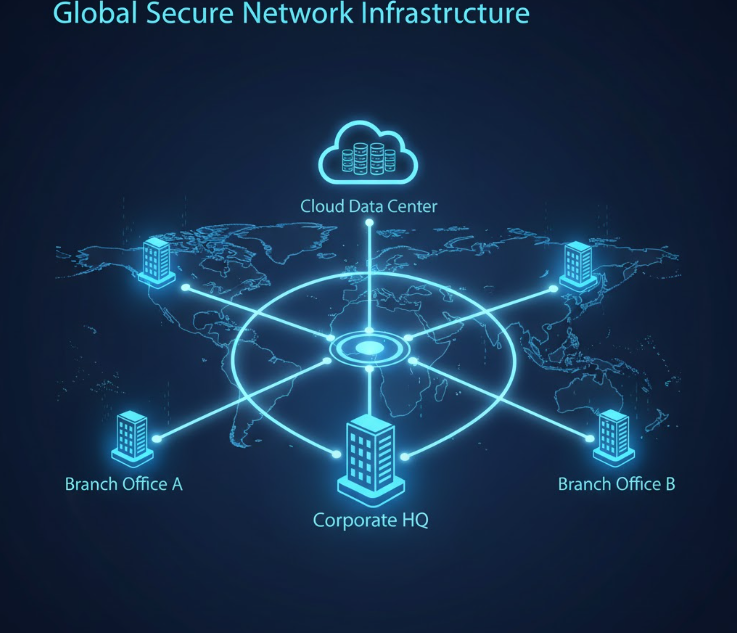
Introduction: The Challenge of Connecting Multiple Locations
As organizations expand—whether opening branch offices, remote warehouses, retail locations, or data centers—they often struggle to maintain consistent performance, security, and reliability across all sites. Traditional networks weren’t built for distributed environments, leaving IT teams juggling VPN tunnels, mismatched hardware, and inconsistent security policies.
This is where multi-site networking becomes essential. It provides a unified approach to managing distributed networks and maintaining seamless branch connectivity at scale.
Multi-Site Networking Explained
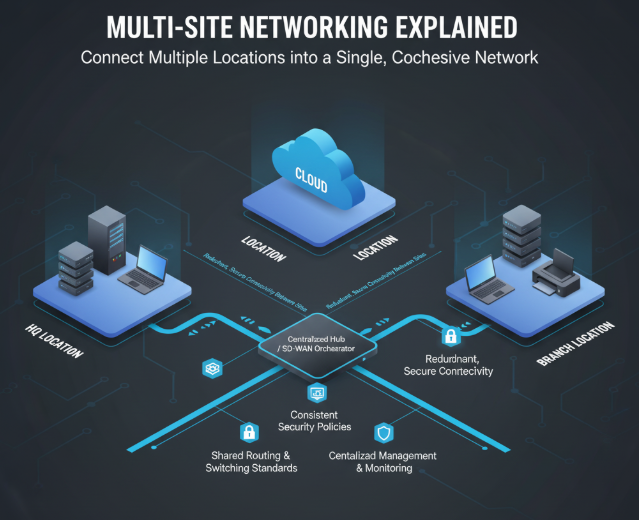
Multi-site networking refers to the architecture, tools, and operational practices that connect multiple physical or cloud-based locations into a single, cohesive network.
What It Includes:
- Shared routing and switching standards
- Consistent security policies
- Centralized management and monitoring
- Redundant, secure connectivity between sites
Why Multi-Site Networking Matters for Modern IT
A well-designed distributed network ensures all locations operate under the same performance, security, and compliance standards.
Key Benefits
- Centralized control: Manage routing, access policies, and updates from a single platform.
- Stronger security: Apply Zero Trust-aligned segmentation and encryption across all sites.
- Better performance: Reduce latency and optimize routing paths for cloud applications.
- Scalability: Add new branches or remote locations without redesigning the entire network.

The Core Components of a Multi-Site Network
Successful multi-site designs typically include the following elements.
1. Standardized Network Architecture
Use consistent VLANs, routing protocols, and security zones across every site.
2. Reliable Site-to-Site Connectivity
Common connectivity models:
- MPLS circuits
- SD-WAN overlay networks
- Encrypted VPN tunnels
- Hybrid combinations for redundancy
3. Unified Security Controls
Follow frameworks like NIST Zero Trust and vendor-specific tools (e.g., Microsoft Defender for Cloud) to maintain strong, consistent security.
4. Centralized Visibility and Monitoring
Use telemetry, configuration backups, and performance dashboards to detect issues early.
Framework: How to Approach Multi-Site Networking
Here’s a simple method IT leaders can use when planning a multi-site model.
Step 1: Assess Each Site’s Requirements
- Bandwidth needs
- On-prem vs. cloud workload distribution
- Local security requirements
Step 2: Standardize the Network Design
Create templates for:
- IP schemas
- VLAN structures
- Firewall and routing policies
Step 3: Choose the Right Connectivity Stack
Use Gartner leadership reports to evaluate SD-WAN or branch networking vendors.
Step 4: Build for Redundancy
Ensure dual uplinks, backup circuits, and failover strategies.
Step 5: Operationalize
Document, monitor, and refine as the network scales.
Real-World Insight
Many organizations that partner with OmniLegion upgrade to unified SD-WAN and standardized segmentation to improve uptime, visibility, and control across multiple sites. Review transformation stories in our IT project case studies: https://omnilegion.com/case-studies.
For hands-on support, explore OmniLegion’s IT support and engineering services: https://omnilegion.com/get-it-help/
FAQs
What is multi-site networking in simple terms?
It’s a strategic way to connect multiple offices, data centers, and cloud environments into a single, secure network.
Is SD-WAN required for distributed networks?
Not always—but SD-WAN significantly improves performance and simplifies management for multi-site deployments.
How do you secure branch connectivity?
Use encrypted tunnels, consistent firewall rules, network segmentation, and Zero Trust principles.
Can cloud environments be part of a multi-site network?
Yes. Many architectures integrate Azure, AWS, or GCP workloads as additional “sites.”
What challenges arise during multi-site expansion?
Inconsistent hardware, mismatched network designs, and poor visibility are the most common issues.
Ready to Improve Your Distributed Network?
If you’re planning or optimizing multi-site networking or need help strengthening branch connectivity, OmniLegion can guide your strategy and execution. Connect with us at https://omnilegion.com/contact-us/ for expert support.